 Thera
Thera
Every dose, right on time.
Thera turns your medications into clear treatment plans — set a schedule once, then get reminded right on your Lock Screen and log each dose with a single tap. Built for post-op recovery, daily prescriptions, and anything in between.
- Lock Screen dose reminders
- One-tap Taken / Skip / Snooze
- Free to start
Everything a treatment plan needs
Thera keeps every medication, schedule, and dose in one simple, calm place.
Treatment Plans
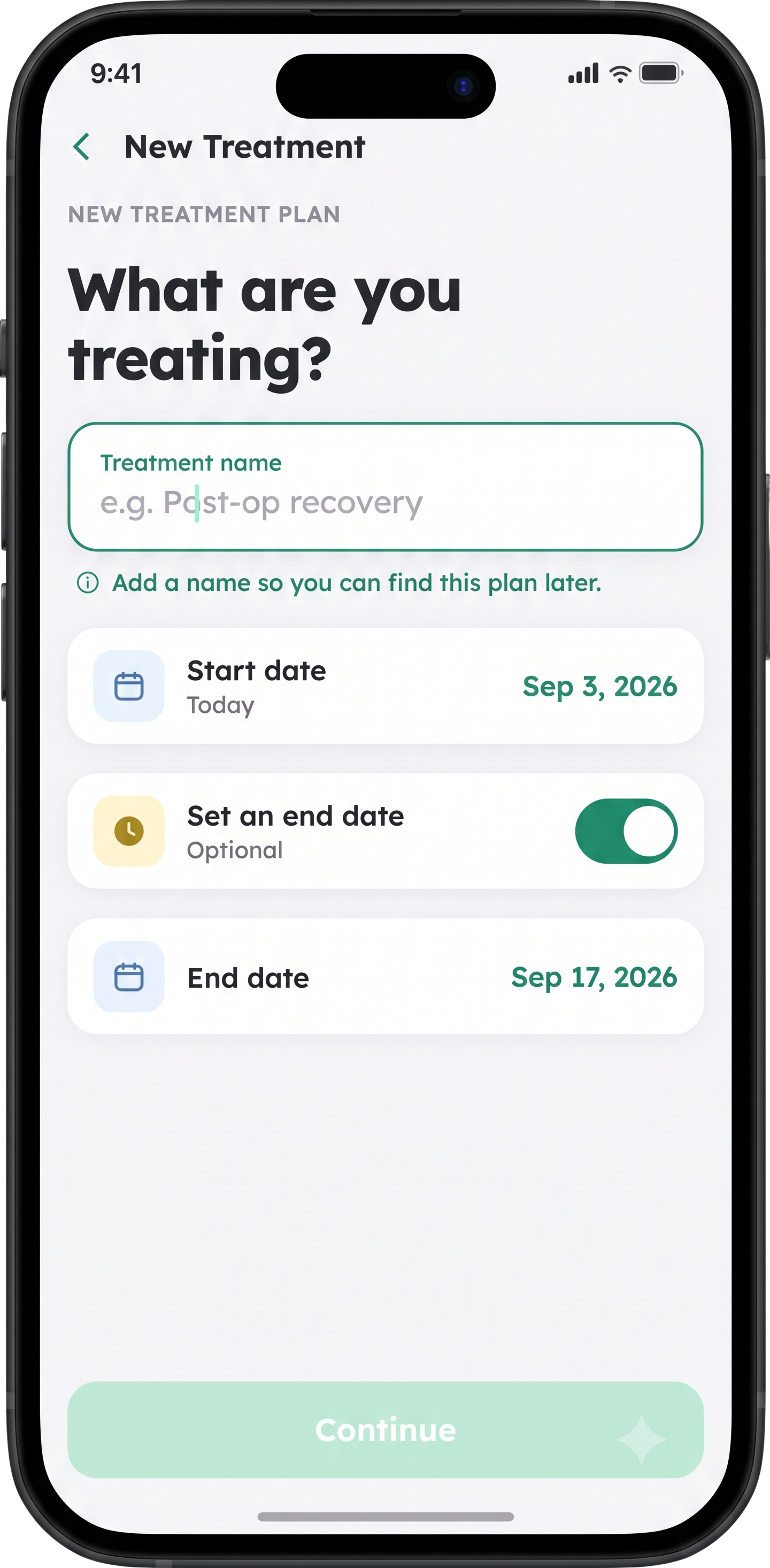
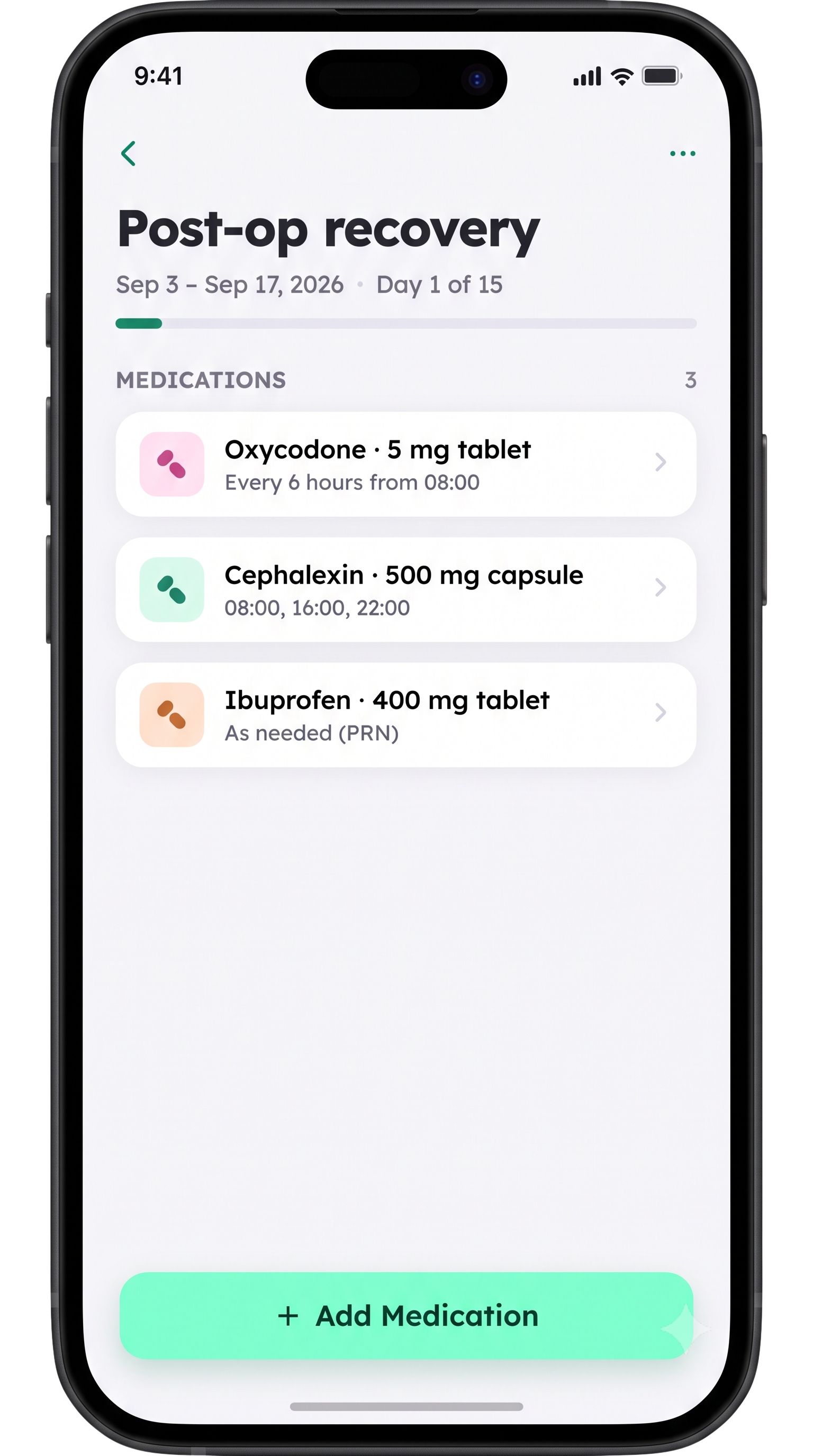
Group medications into a named plan — "Post-op recovery," a short course of antibiotics — with a start date, an optional end date, and a clear day count.
Flexible Medication Setup
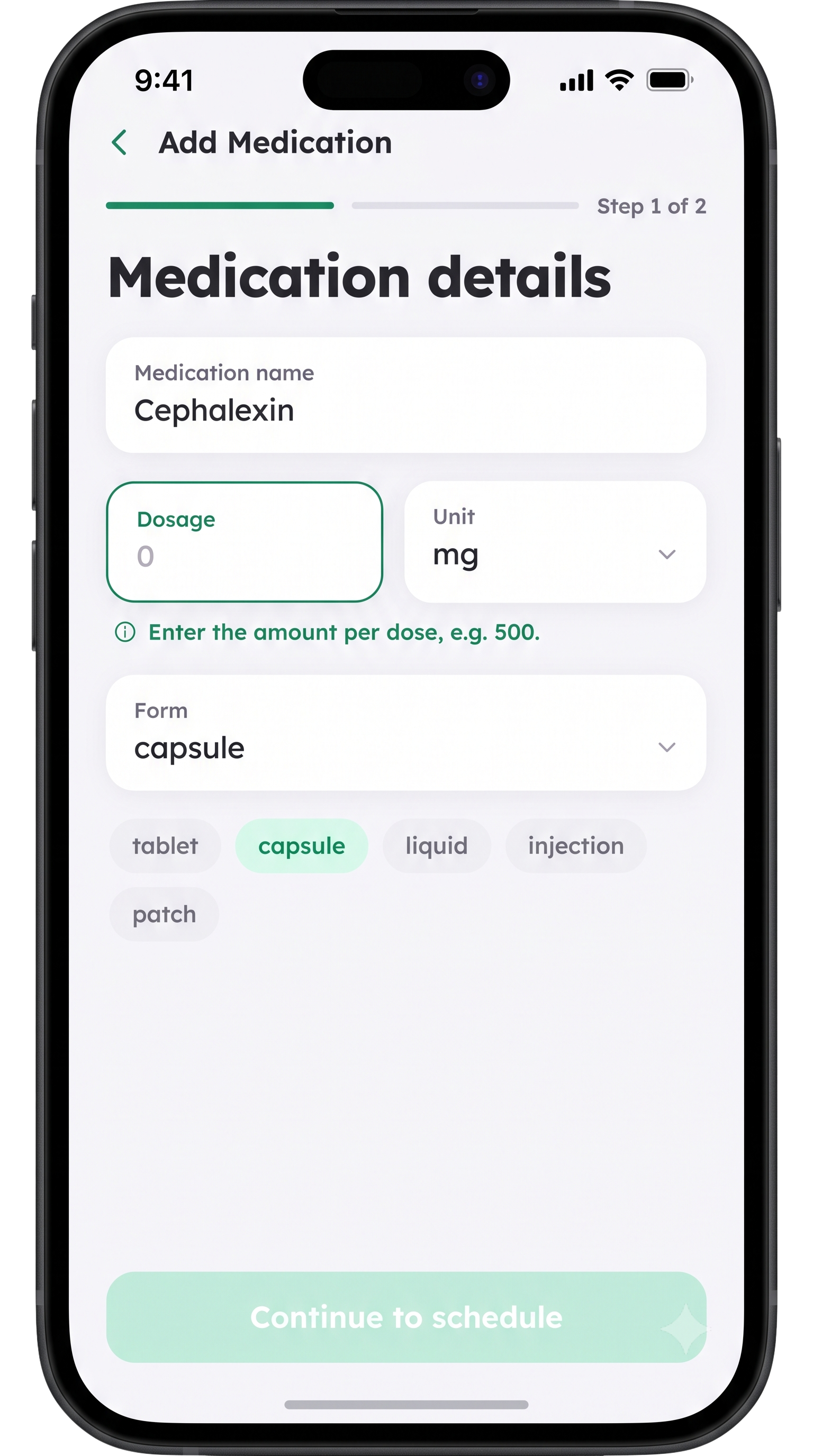
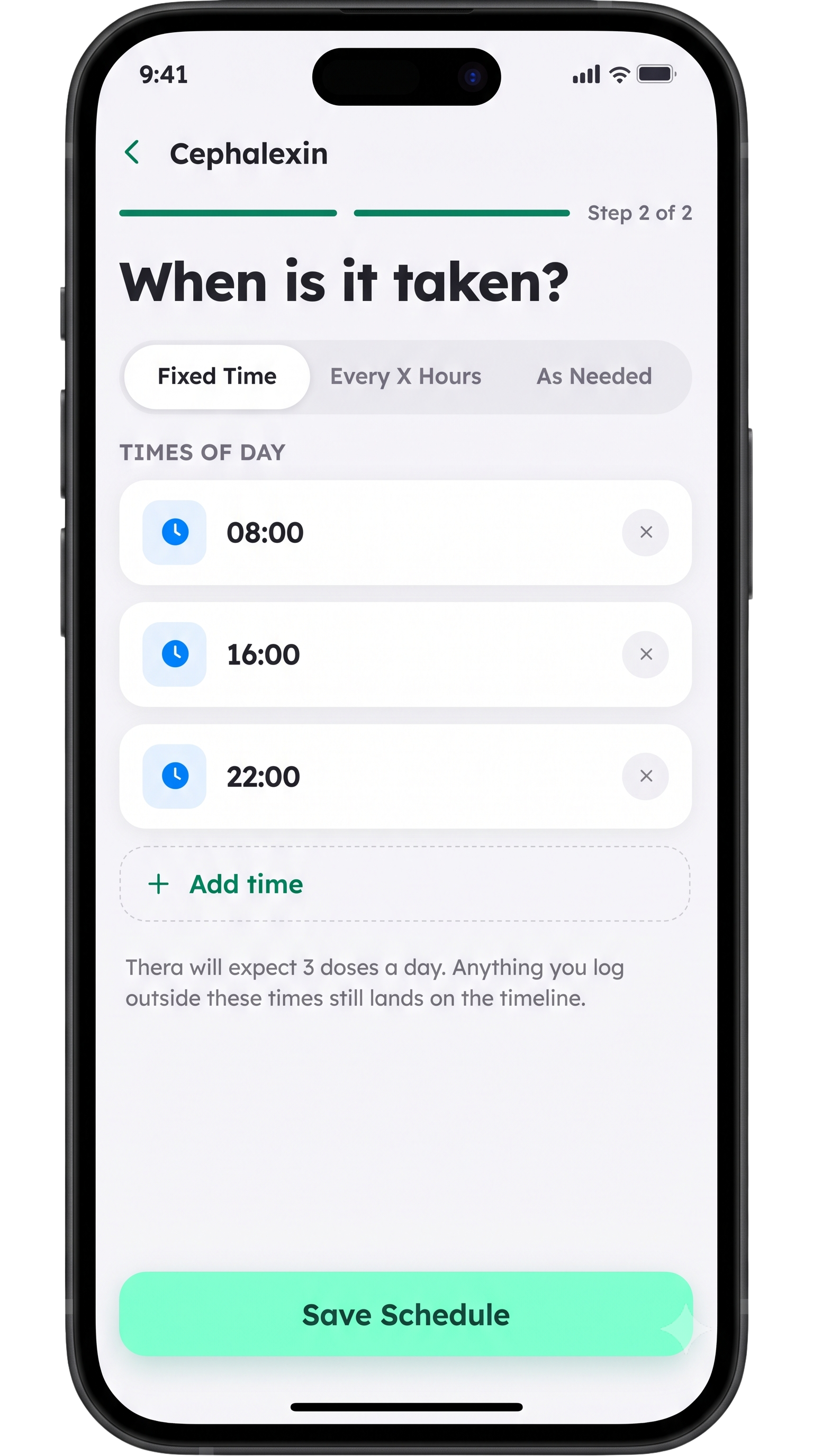
Add a medication name, dosage and unit, and its form — tablet, capsule, liquid, injection, or patch — in one short form.
Custom Schedules
Choose Fixed Time for exact clock times, Every X Hours for recurring doses, or As Needed for PRN medications — Thera builds the daily timeline for you.
Today Dashboard
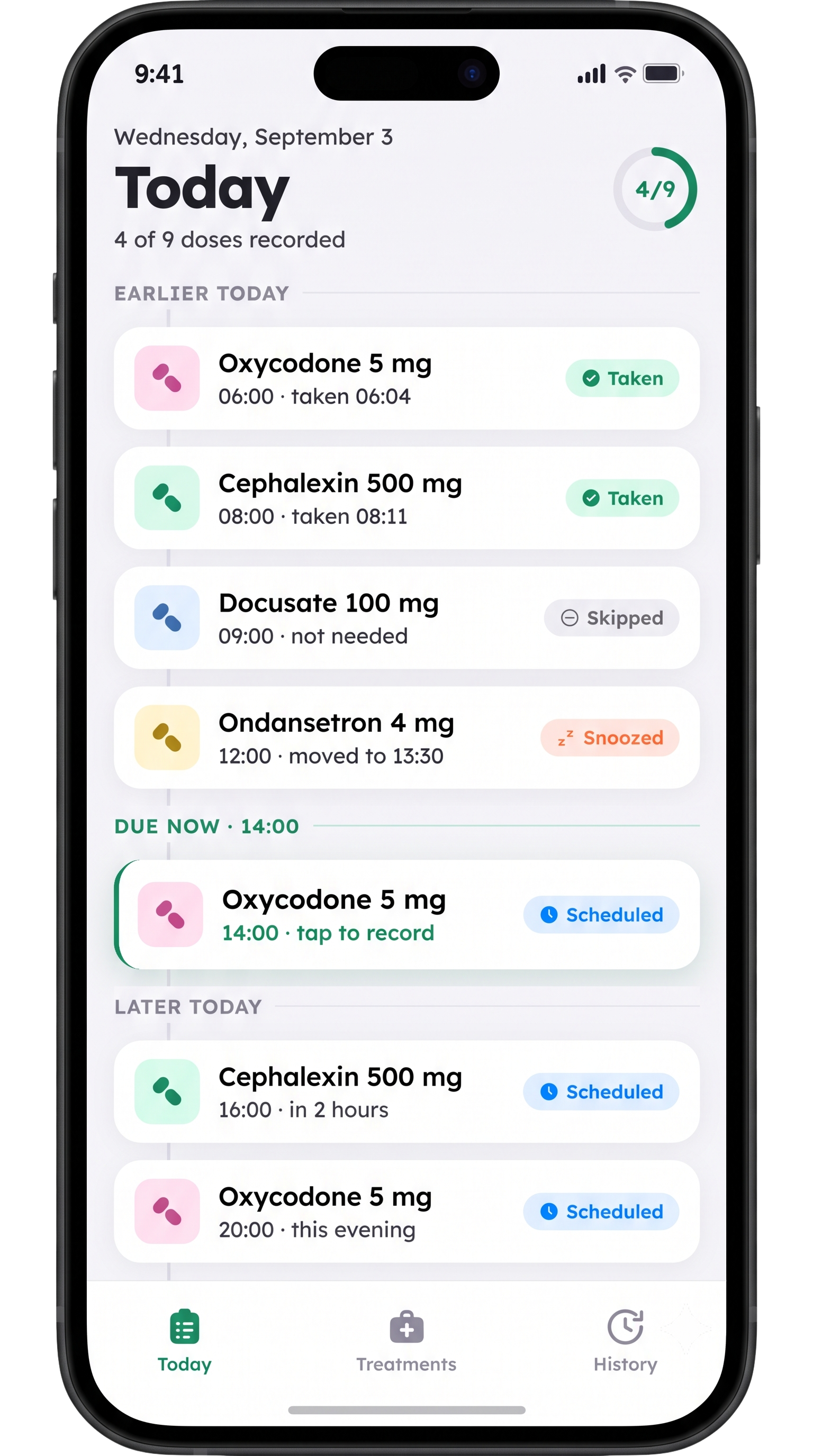
A single "Today" view groups doses into Earlier, Due Now, and Later — with a progress ring showing how many of today's doses are recorded.
One-Tap Logging
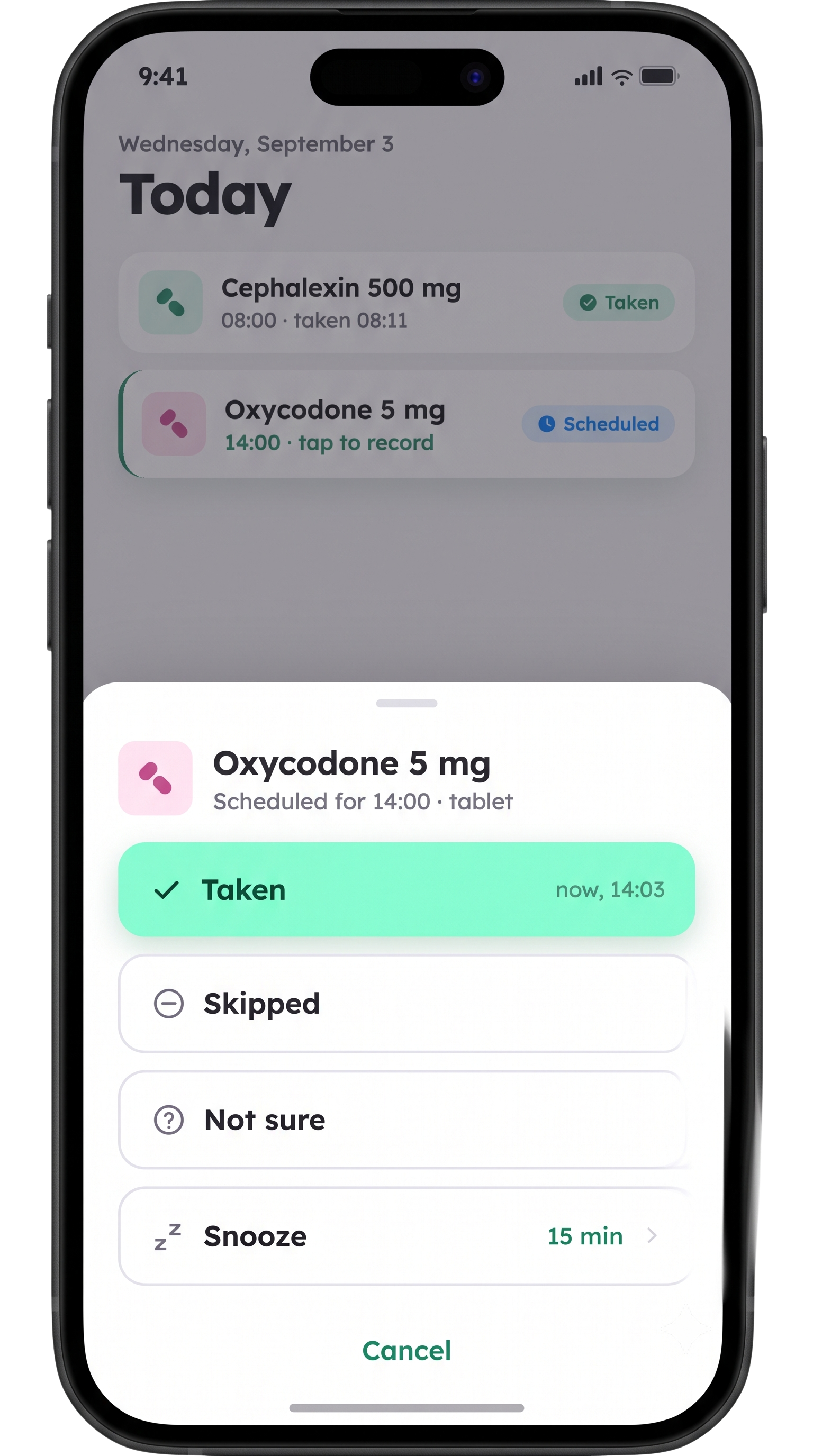
Mark a dose Taken, Skipped, or Not Sure, or Snooze it for later — right from the Today list, no extra screens to dig through.
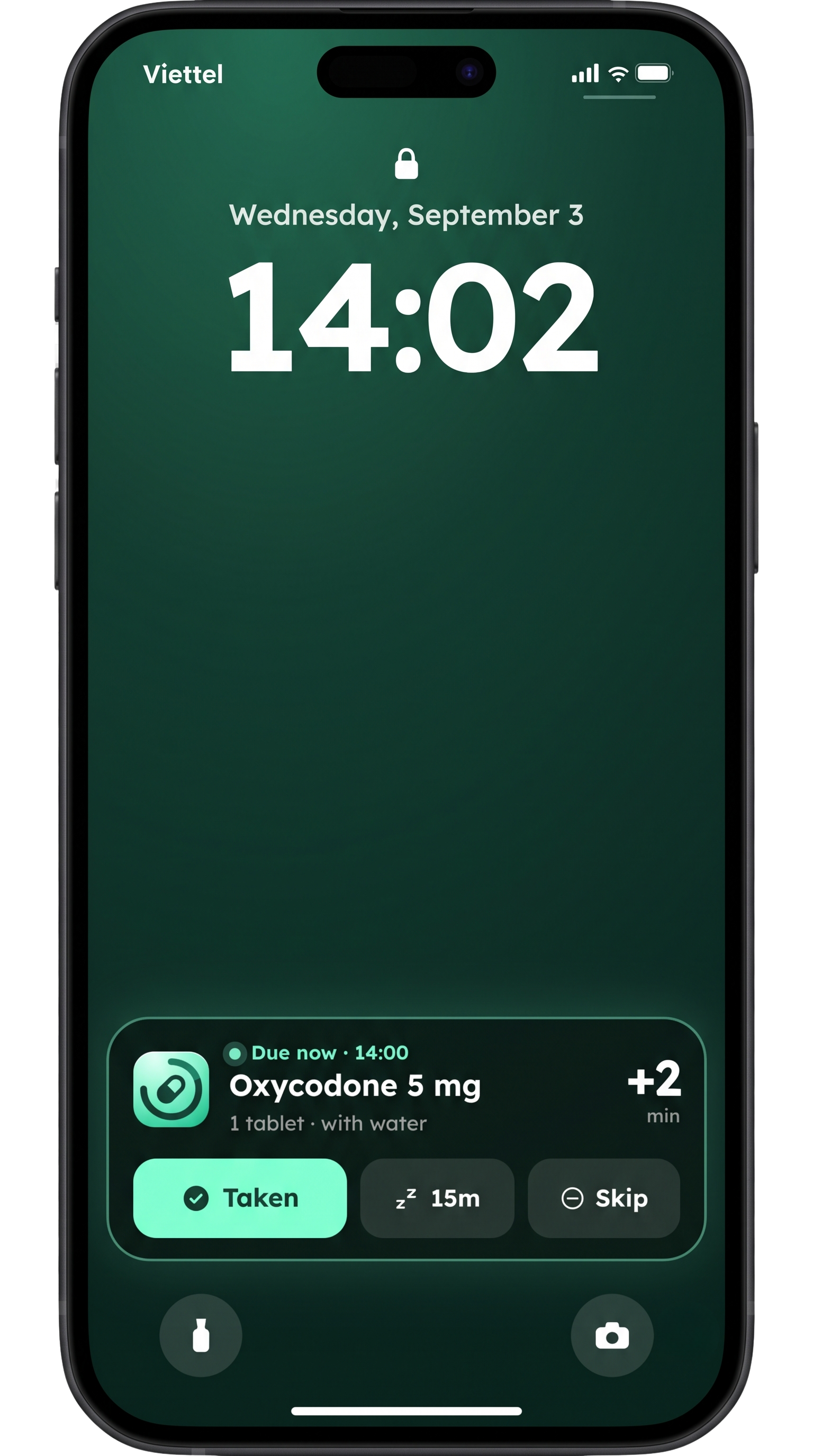
Lock Screen Reminders
A Live Activity shows the dose that's due right on your Lock Screen — tap Taken, snooze 15 minutes, or Skip without unlocking your phone.
The Thera experience
Real screens from the app running on iPhone.
Built for real treatment plans, not just reminders
Post-op recovery, a short course of antibiotics, a long-term prescription — Thera treats each one as its own plan instead of a flat list of pills.
- Name the plan, set a start date, and an optional end date.
- Add as many medications as the plan needs, each with its own schedule.
- Track progress with a simple "Day X of Y" view.
- Keep multiple active plans running side by side.
Three steps to your first reminder
No charts to configure, no confusing setup — Thera gets out of the way fast.
Create a treatment plan
Name what you're treating and set a start date — an end date is optional.
Add medications & schedule
Enter dosage and form, then choose Fixed Time, Every X Hours, or As Needed.
Get reminded & log with one tap
Thera reminds you on your Lock Screen — tap Taken, Snooze, or Skip and move on.
Your health information stays yours
Thera exists to help you stay on schedule — not to collect more data than it needs. Your medications and dose history are yours to export or delete at any time.
- No advertising and no selling of your health data, ever.
- Your medications, schedules, and dose logs are under your control.
- Notifications are used only for the reminders you set up.
- Thera is a reminder and tracking tool, not a source of medical advice.
Free to start. Upgrade when you need more.
Core treatment tracking is free — Thera Plus adds more plans, more history, and more reminders.
Upgrade anytime to Thera Plus — monthly or annual, cancel anytime — for unlimited treatment plans, extended dose history, and priority Lock Screen reminders. Exact plans and pricing are shown in the app.
Coming soon on theApp StoreBe ready when Thera launches
Build your first treatment plan the day it arrives — free to start, upgrade only if you need to.
Coming soon on theApp Store